
Etch WP Review: 9 Powerful Features Worth Knowing in 2026
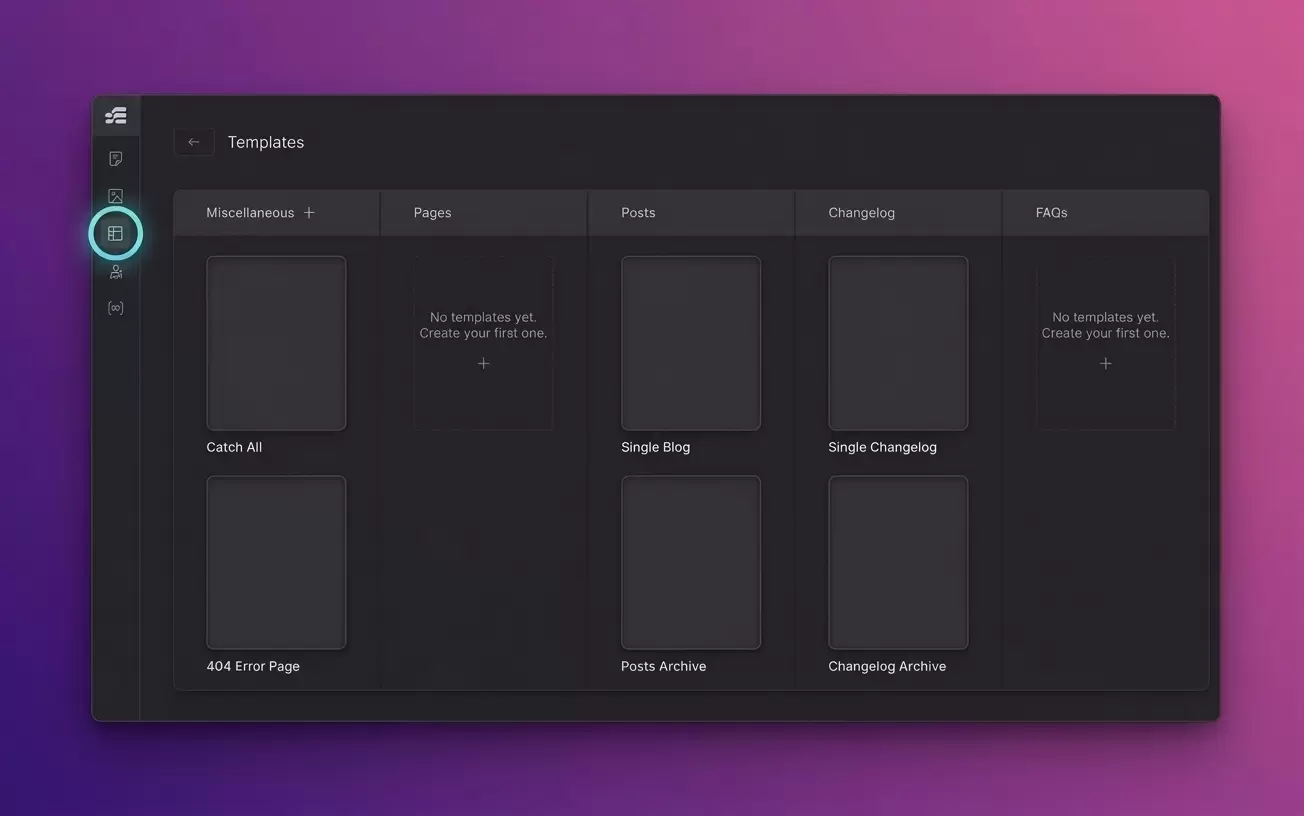
What Is Etch WP?
If you are looking for a modern WordPress builder that gives you visual design tools without completely hiding the underlying code, Etch WP deserves a closer look.
Etch is positioned as a Unified Visual Development Environment for WordPress, rather than simply another drag-and-drop page builder. The idea is straightforward: you should be able to visually build a WordPress website while still having direct access to HTML, CSS, PHP, JavaScript, dynamic data, components, and other parts of the development workflow.
That approach makes Etch particularly interesting for freelancers, agencies, developers, and WordPress users who want more control over how their websites are structured.
I also find the philosophy behind Etch interesting because it does not try to hide web development concepts completely. Instead, it attempts to make those concepts easier to work with visually.
In this Etch WP review, I will look at what Etch does, how its workflow differs from traditional page builders, its main features, pricing, advantages, limitations, and the type of WordPress user who may benefit from it.
Etch WP Review: What Makes It Different?
Traditional WordPress page builders generally focus on making website creation easier through visual controls. Etch takes a slightly different approach.
The official documentation describes Etch as a visual development environment that directly works with real HTML, CSS, PHP, and JavaScript while providing a visual interface.
That distinction matters.
Instead of treating code as something that exists behind a completely separate interface, Etch tries to bring visual development and code authoring into the same workflow.
For example, when you add elements through the Etch interface, the builder can show the corresponding HTML in its code editor. You do not need to write code simply to add an element, but the underlying structure remains accessible.
This creates an interesting middle ground between:
-
Traditional visual page builders
-
WordPress block editing
-
Hand-coded websites
-
Professional development environments
For developers, that can mean greater control. For beginners, it can also provide a way to learn how websites actually work instead of relying entirely on proprietary controls.
9 Etch WP Features Worth Knowing
1. Visual Website Development
The central feature of Etch is its visual builder.
You can add common HTML elements through the interface instead of manually writing every piece of markup. At the same time, Etch exposes the underlying structure so developers can inspect and modify their code.
This approach can make everyday development faster without forcing users into a completely closed visual system.
You can visually build sections, headings, text, images, layouts, navigation elements, and other components while still thinking in terms of real web development.
2. Direct Code Access
One of the biggest selling points of Etch is code access.
The platform is designed around the idea that visual editing should not prevent you from accessing the underlying code. Its documentation specifically emphasizes access to HTML, CSS, PHP, and JavaScript.
This can be useful when you need to:
-
Create custom layouts
-
Modify HTML structure
-
Add custom CSS
-
Work with dynamic data
-
Build reusable components
-
Implement more advanced WordPress functionality
-
Troubleshoot a visual design
For experienced developers, this can reduce the frustration that sometimes comes with highly abstracted page builders.
3. Auto Block Authoring
Auto Block Authoring is another major part of the Etch workflow.
According to the official documentation, Etch automatically authors what you build to Gutenberg blocks. This is intended to improve compatibility with WordPress and give users more flexibility when editing content.
This is important because one concern with visual builders is long-term dependency on a proprietary system.
Etch’s approach attempts to keep the content connected to WordPress’s block architecture rather than locking everything exclusively inside the builder.
That does not mean every project will have the same migration experience, so it is still sensible to test your specific workflow before making Etch the foundation of a large production project.
4. Components and Reusable Design Systems
Reusable components can make a major difference when building multiple pages or websites.
Instead of recreating the same structure repeatedly, you can create reusable pieces and use them throughout a project.
This approach works particularly well for agencies and freelancers because many client websites contain repeated patterns such as:
-
Headers
-
Footers
-
Cards
-
Buttons
-
Testimonials
-
Pricing sections
-
Navigation
-
Content grids
-
Call-to-action sections
Etch is designed around reusable components and systematic workflows, making this an important part of its development philosophy.
5. Dynamic Data and WordPress Content
Etch goes beyond static page design.
The platform includes functionality for working with dynamic data, templates, loops, custom post types, and custom fields. Its Content Manager also provides tools for managing WordPress pages, posts, custom post types, custom fields, and other content.
This makes the platform more relevant to serious WordPress projects.
For example, imagine building a real estate website.
Instead of manually designing every property page, you could create a reusable template that displays information dynamically from your WordPress content structure.
The same principle applies to:
-
Blog websites
-
Directories
-
Business websites
-
Membership websites
-
Portfolio websites
-
Product catalogs
-
Content-heavy publications
One important caveat is that Etch’s documentation currently describes its Content Manager functionality for custom post types and custom fields as being in a proof-of-concept/playground state and not recommended for production use.
That is exactly the kind of detail I would check before relying on a feature for a client project.
6. Responsive Images
Images can have a major effect on website performance.
Etch provides standard image functionality along with responsive image support. Its documentation explains that the Image element can work with srcset and sizes, allowing WordPress and the browser to select appropriate image resources for different situations.
Etch also includes a Dynamic Image element designed specifically for WordPress images. It can output attributes such as alt, src, srcset, and sizes automatically.
This is a good example of where a visual development tool can still respect standard web practices.
7. Built-In Asset Management
Etch also includes its own Asset Manager.
The Asset Manager is designed to help users upload, organize, edit, and optimize media within a project. The documentation describes it as a dedicated media hub rather than simply relying on the standard WordPress Media Library interface.
For larger projects, centralized asset management can save time.
Instead of repeatedly searching through folders or switching between different interfaces, you can work with project assets from within the Etch environment.
8. Command Bar and Keyboard Workflow
If you like keyboard-driven workflows, Etch includes a Command Bar.
You can open it with Cmd + K on Mac or Ctrl + K on Windows and Linux. It provides access to different actions and areas of the application.
This may seem like a small feature, but keyboard-driven navigation can become valuable when you spend hours inside a builder.
It can reduce the number of clicks required to move between different areas of a project.
9. AI Connector
Etch is also adding AI-related functionality.
Its current documentation describes an experimental AI Connector that allows users to connect an external AI agent to Etch. The workflow involves enabling the connector inside Etch and then connecting the external AI agent while the Etch builder is open.
This is an area worth watching because AI-assisted development is becoming increasingly common.
However, I would treat experimental features as exactly that: experimental. Your production workflow should not depend on them until they meet your reliability requirements.
My Experience Using Etch WP
When I started using Etch, the first thing I noticed was that it did not feel like a traditional drag-and-drop page builder.
At first, that difference can take some getting used to.
I was used to the usual workflow where I could add a widget, change a few settings, adjust some spacing, and move on. Etch feels more connected to actual web development. You still get the visual interface, but you also need to understand concepts such as HTML structure, CSS, components, responsive layouts, and WordPress content.
After spending more time with it, I found that this approach made more sense for the type of websites where I wanted control over the underlying structure.
What I particularly liked was being able to move between visual editing and code instead of treating them as completely separate workflows.
For me, that makes Etch feel less like a simple page builder and more like a visual development environment.
That said, I would not tell a complete beginner that Etch requires zero learning. In my experience, getting the most from it means learning the fundamentals of modern web design.
That learning curve can feel like a disadvantage at first, but it can also become an advantage if your goal is to build more advanced WordPress websites.
Important: If you have not personally tested Etch, replace this section with your actual experience before publishing. Google values first-hand experience, and your article should accurately represent what you have personally done.
Etch Pricing: How Much Does It Cost?
Etch currently offers three main annual plans:
| Plan | Annual Price | Production Websites |
|---|---|---|
| Freelancer | $99/year | 3 |
| Agency | $199/year | 25 |
| Agency Elite | $299/year | 75 |
The official pricing page lists unlimited development installs for these plans, along with different production site limits and additional features depending on the plan.\
The pricing structure makes the biggest difference for agencies.
A freelancer who only needs a few production websites may find the Freelancer plan sufficient, while an agency managing many client websites can use the higher site limits offered by the Agency and Agency Elite plans.
Some features listed on the pricing page, including WooCommerce integration and version control, are marked as planned rather than currently available. Buyers should therefore check the current feature status before purchasing specifically for those capabilities.
Etch also states that refund requests must be made within 30 days, subject to its stated refund conditions.
Is Etch WP Easy for Beginners?
The answer depends on what you mean by “easy.”
If you want a builder where you can select a template, change a few colors, replace text, and publish a website with minimal knowledge of web development, Etch may require more learning than some traditional visual builders.
Etch openly takes a different approach.
Its documentation says the platform is designed for people who already understand web development fundamentals as well as people who want to learn them.
That means beginners can use Etch, but they should expect to learn concepts such as:
-
HTML structure
-
CSS
-
Responsive design
-
WordPress content structures
-
Components
-
Dynamic data
-
Accessibility
-
Website performance
If you want to become better at WordPress development rather than simply assemble websites from prebuilt settings, that learning process can be valuable.
Etch WP Pros and Cons
| Pros | Cons |
|---|---|
| Visual WordPress development | Has a learning curve |
| Direct access to code | Some features are still evolving |
| Reusable components | May feel advanced for beginners |
| Supports dynamic data | Some features are planned or experimental |
| Developer-friendly workflow | Requires basic HTML/CSS knowledge |
| Responsive image support | Not ideal for users wanting a very simple builder |
The Future of Etch WP
The WordPress ecosystem continues to move toward more visual development, block-based content, reusable components, dynamic data, and AI-assisted workflows.
Etch is clearly positioning itself around that direction.
Its current roadmap and feature set include areas such as WooCommerce integration, version control, AI functionality, advanced content management, and other development-oriented capabilities. Some of these are currently available while others remain planned or experimental.
That makes Etch a product worth watching, especially for professional WordPress developers.
The important thing is to distinguish between features that exist today and features that the company plans to introduce.
Conclusion
Etch WP takes a different approach to WordPress website building.
Instead of trying to make web development invisible, it combines visual editing with direct access to the underlying technologies. That makes it particularly interesting for developers, agencies, freelancers, and ambitious WordPress users who want more control over their websites.
My experience with Etch is that its biggest adjustment is also one of its most interesting qualities: you need to think more like a web developer while using a visual interface.
For someone who wants to learn modern WordPress development, build reusable systems, and maintain greater control over website structure, that approach can be appealing.
However, you should evaluate the current feature set carefully, especially if you depend on functionality that Etch lists as planned or experimental.
Overall, Etch WP represents an interesting direction for WordPress visual development, particularly for people who want the convenience of a visual builder without completely giving up access to code and development fundamentals.
Frequently Asked Questions
What is Etch WP?
Etch WP is a visual development environment for WordPress. It combines visual website building with direct access to web development technologies such as HTML, CSS, PHP, and JavaScript.
Is Etch WP a plugin or a theme?
Etch is primarily a WordPress plugin with a companion block theme. The official documentation explains that the Etch Theme provides the architecture required for features such as Auto Block Authoring and Gutenberg compatibility.
How much does Etch WP cost?
The current annual plans listed by Etch are $99 for Freelancer, $199 for Agency, and $299 for Agency Elite. Each plan has a different production-site limit.
Is Etch WP good for beginners?
Etch can be used by beginners, but it is designed around learning and applying real web development concepts. Beginners should expect to learn HTML, CSS, responsive design, WordPress structures, and other fundamentals rather than relying entirely on simplified controls.
Does Etch WP replace WordPress?
No. Etch works inside WordPress. It provides a visual development environment and additional tools for building and managing WordPress websites.
Does Etch WP support dynamic content?
Yes. Etch includes dynamic data, loops, templates, components, and other functionality for building dynamic WordPress websites.
Does Etch WP support WooCommerce?
WooCommerce integration appears on the current Etch pricing page as a planned feature rather than a currently available feature. Check the latest official documentation before purchasing Etch specifically for WooCommerce functionality.
Can Etch WP work with custom post types?
Etch includes custom post type functionality, but its current documentation describes parts of the Content Manager for custom post types as proof-of-concept and not recommended for production use.