
How to Use ChatGPT for WordPress SEO: 11 Proven Ways
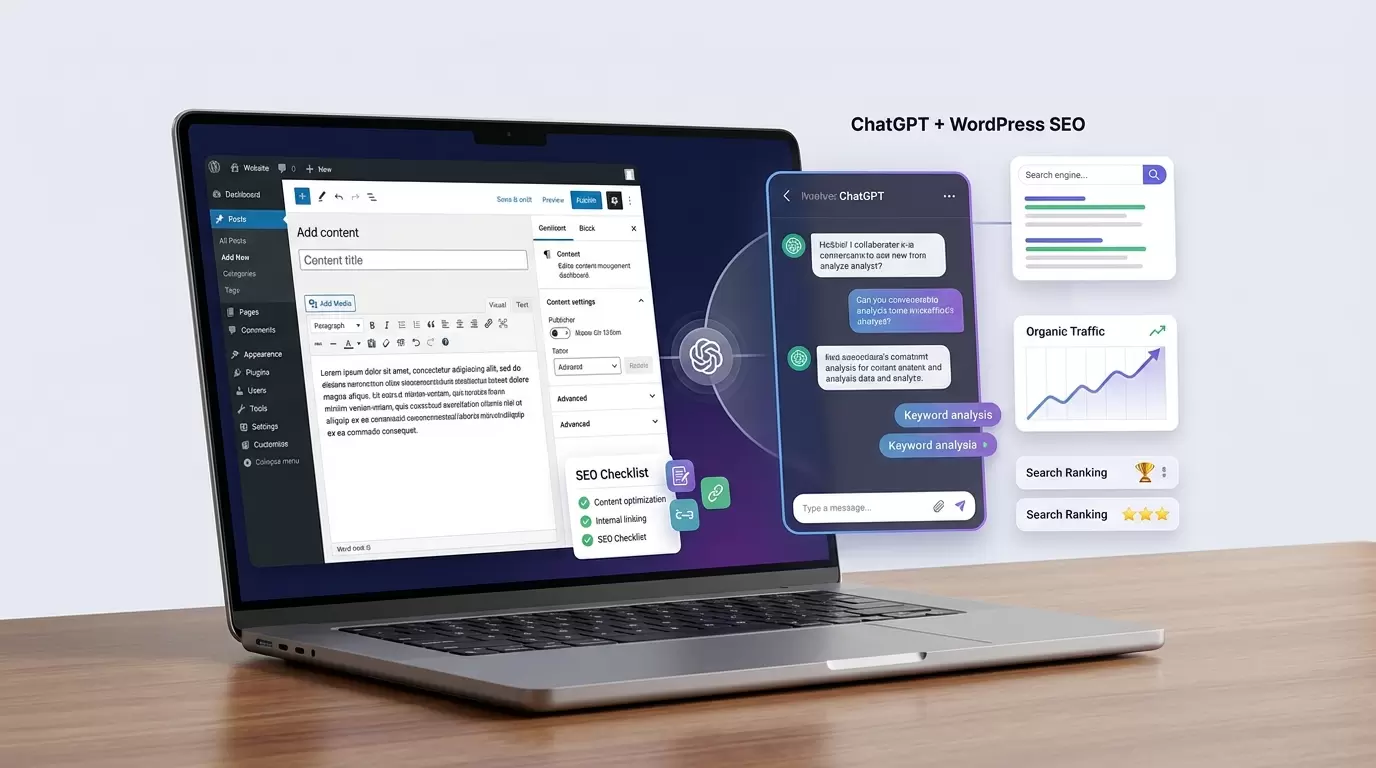
If you publish content on WordPress, you already know that SEO involves much more than adding a keyword to a blog post. You need to understand search intent, build useful content, optimize headings and metadata, improve internal links, and keep your website technically healthy.
Learning how to use ChatGPT for WordPress SEO can make many of these tasks faster without turning your website into a collection of generic AI-written articles.
The key is to use ChatGPT as an SEO assistant rather than an automatic publishing machine. It can help with keyword research, content planning, search intent analysis, title ideas, meta descriptions, internal linking, content optimization, schema ideas, and SEO audits. However, you still need to verify facts, apply your experience, and make the final editorial decisions.
Google’s current guidance focuses on useful content and warns against producing large volumes of unoriginal content primarily to manipulate search rankings.
That makes the right workflow simple:
Use AI to accelerate the work, then add human expertise and evidence before publishing.
Refrence: Google Developers
What Can ChatGPT Do for WordPress SEO?
ChatGPT can support almost every stage of an SEO content workflow.
You can use it to:
-
Generate keyword ideas and related search terms
-
Analyze search intent
-
Build content briefs
-
Create SEO-friendly article outlines
-
Improve titles and headings
-
Draft or improve meta descriptions
-
Optimize existing content
-
Find internal linking opportunities
-
Suggest FAQs and supporting topics
-
Create image alt-text suggestions
-
Review content for readability
-
Identify content gaps
-
Generate schema markup drafts
-
Create content refresh plans
-
Turn Search Console data into actionable ideas
The important distinction is that ChatGPT does not replace an SEO strategy.
It helps you execute that strategy more efficiently.
How to Use ChatGPT for WordPress SEO Step by Step
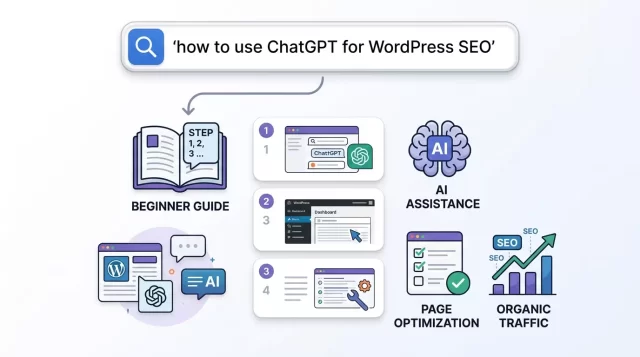
1. Start With Search Intent
Before asking ChatGPT to write an article, identify what the searcher actually wants.
For example, someone searching for:
“how to use ChatGPT for WordPress SEO”
probably wants practical instructions rather than a general explanation of artificial intelligence.
The likely intent is informational and instructional.
A useful ChatGPT prompt would be:
Analyze the search intent for the keyword “how to use ChatGPT for WordPress SEO.” Identify the likely audience, their problems, what information they expect, and what a comprehensive article should include. Do not invent search-volume data.
This helps prevent one of the most common SEO mistakes: creating an article that technically targets a keyword but fails to satisfy the reader.
2. Build a Keyword Cluster
Do not focus exclusively on one exact keyword.
Create a group of closely related terms that naturally support the main topic.
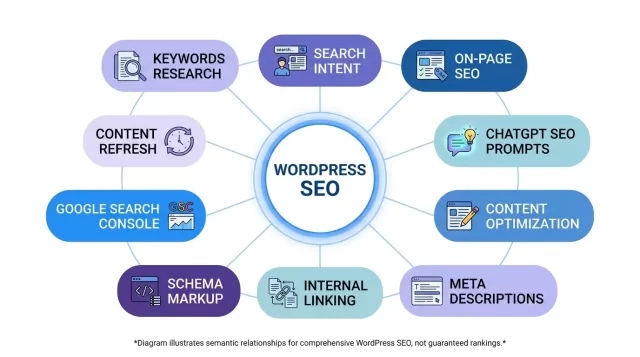
For this article, useful secondary keywords include:
-
ChatGPT SEO prompts
-
WordPress SEO
-
AI SEO tools
-
SEO content optimization
-
keyword research with ChatGPT
-
on-page SEO
-
SEO-friendly content
-
meta title optimization
-
meta description
-
internal linking
-
search intent
-
content gap analysis
-
SEO content strategy
-
WordPress content optimization
-
semantic keywords
-
topical authority
-
Google Search Console
-
content refresh
-
schema markup
-
image alt text
You can ask ChatGPT:
Create a semantic keyword cluster around “WordPress SEO.” Group the terms by search intent and explain where each group could naturally fit into an article.
Do not force every suggested phrase into your post. Relevance matters more than keyword volume.
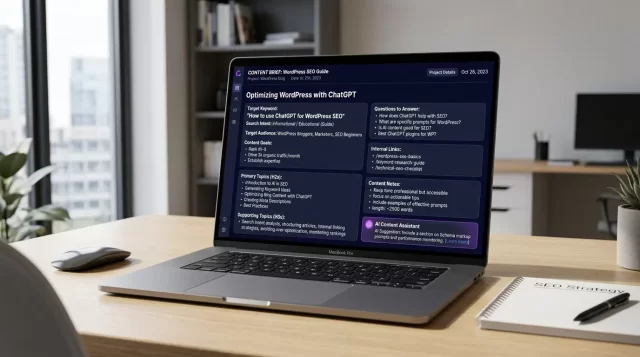
3. Create an SEO Content Brief
A strong content brief gives ChatGPT enough context to produce something useful.
Instead of saying:
Write an SEO article about WordPress.
Try:
Create an SEO content brief for “how to use ChatGPT for WordPress SEO.” The target audience is beginner and intermediate WordPress users. Cover keyword research, search intent, content creation, on-page optimization, internal linking, technical SEO, content auditing, mistakes, limitations, and practical prompts. Prioritize usefulness over keyword density.
Then review the brief yourself.
Look for:
-
Missing subtopics
-
Irrelevant sections
-
Repetitive ideas
-
Unsupported claims
-
Weak search-intent alignment
-
Opportunities to demonstrate first-hand experience
This turns ChatGPT into a planning assistant rather than a content vending machine.
4. Use ChatGPT for Keyword Research
ChatGPT can generate keyword ideas quickly, but you should not treat its suggestions as verified search-volume data.
For example, ask:
Give me 30 long-tail keyword ideas related to WordPress SEO for small business owners. Group them by informational, commercial, and transactional intent. Do not provide search volume or difficulty estimates unless I provide the data.
You can then validate the ideas using actual SEO research tools and Google Search Console data.
A particularly useful approach involves starting with a broad topic and asking ChatGPT to expand it into:
-
Primary keywords
-
Long-tail keywords
-
Question keywords
-
Comparison keywords
-
Problem-based searches
-
Commercial-intent phrases
-
Related entities
-
Supporting subtopics
This gives you a starting point for a topical content strategy.
5. Generate Better SEO Titles
Your title influences whether people click your result, so do not settle for the first title ChatGPT generates.
Give it constraints.
For example:
Generate 10 SEO titles for “how to use ChatGPT for WordPress SEO.” Keep each under 60 characters where possible. Include the primary keyword. Make the titles clear, specific, and compelling without using clickbait.
For this article, a strong option is:
How to Use ChatGPT for WordPress SEO: 11 Proven Tips
The title tells the reader exactly what they will get.
Avoid titles that promise unrealistic outcomes such as:
-
“Rank #1 on Google With ChatGPT”
-
“Guaranteed SEO Traffic With AI”
-
“The Secret Google Doesn’t Want You to Know”
These claims can damage trust and do not reflect how search rankings actually work.
6. Write Better Meta Descriptions
ChatGPT can quickly create multiple meta description options.
Try:
Write five meta descriptions for an article targeting “how to use ChatGPT for WordPress SEO.” Keep each concise, accurately describe the article, include the primary keyword naturally, and give the reader a reason to click. Avoid exaggerated claims.
Then choose the version that best represents the actual page.
Remember that a meta description is not a guaranteed search-result snippet. Google can generate or modify the snippet shown in Search based on the query and page content.
The goal is to provide an accurate, useful description rather than simply stuffing keywords into it.
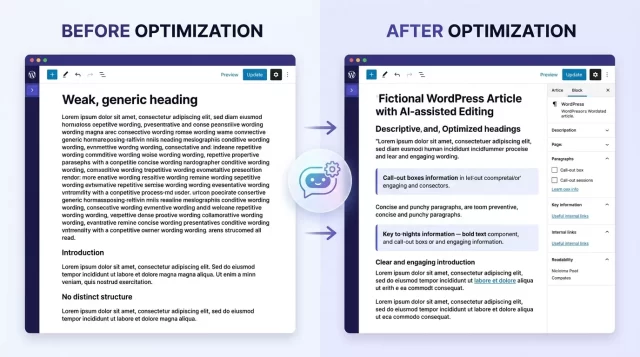
7. Use ChatGPT to Improve Existing WordPress Content
One of the most valuable uses of ChatGPT is content optimization.
You do not always need to publish another article.
Sometimes your existing content already has the foundation you need.
Copy a section of an existing post into ChatGPT and ask:
Review this section for search intent, clarity, topical coverage, redundancy, and readability. Identify specific weaknesses first. Then suggest improvements without changing factual claims or adding unsupported information.
This creates a useful diagnosis → solution workflow.
Instead of asking ChatGPT to rewrite everything, first identify the problem.
For example:
Problem: The article ranks for a related keyword but does not directly answer the reader’s main question.
Diagnosis: The introduction spends 300 words discussing background information before answering the query.
Solution: Move the direct answer into the opening section and expand supporting explanations afterward.
That approach usually produces better content than blindly asking for a complete rewrite.
8. Use ChatGPT for Internal Linking
Internal links help users navigate related content and help search engines understand relationships between pages.
ChatGPT can help you identify opportunities.
Give it a list of your existing URLs and article topics:
Here are 20 articles from my WordPress website. Identify logical internal linking opportunities between them. For each suggestion, provide the source article, destination article, reason for the link, and a natural anchor-text suggestion. Do not recommend links solely because two keywords are similar.
This last instruction matters.
A good internal link should help the reader.
For example, an article about WordPress SEO could naturally link to a detailed article about:
-
XML sitemaps
-
image optimization
-
keyword research
-
Core Web Vitals
-
Google Search Console
-
WordPress security
-
internal linking
-
schema markup
Do not add dozens of links simply to create a dense network of keywords.
9. Create SEO-Friendly FAQs
FAQ sections can improve usability when they answer genuine questions readers have.
Ask ChatGPT:
Based on this article, identify the most useful questions a beginner might still have. Provide concise answers using only information supported by the article or reliable sources.
Potential questions include:
Can ChatGPT do SEO by itself?
No. ChatGPT can assist with many SEO tasks, but it cannot replace strategic judgment, website data, technical implementation, or human fact-checking.
Can I publish ChatGPT-generated articles directly in WordPress?
You can technically publish AI-generated text, but publishing large amounts of low-value, unoriginal content simply to manipulate search rankings creates SEO risks. Google’s spam policies specifically address scaled content abuse, including AI-generated content that provides little value.
Does using ChatGPT guarantee higher Google rankings?
No. There is no legitimate prompt that guarantees a particular Google ranking.
SEO performance depends on many factors, including content quality, relevance, technical accessibility, competition, links, site reputation, search intent, and the overall usefulness of the page.
10. Use ChatGPT to Audit On-Page SEO
You can use a structured prompt to review important on-page elements.
For example:
Audit this article for on-page SEO. Check the title, introduction, H2 and H3 structure, keyword placement, search intent, topical coverage, internal-link opportunities, image alt-text opportunities, readability, unnecessary repetition, and potential factual claims that require verification. Separate problems from recommendations.
This produces a much more useful audit than:
Is this article SEO optimized?
The second question encourages a vague answer.
The first creates a checklist.
You can also ask ChatGPT to review:
-
URL structure
-
title tag
-
meta description
-
headings
-
content structure
-
anchor text
-
image descriptions
-
contextual links
-
keyword cannibalization risks
-
content gaps
-
calls to action
11. Use ChatGPT With Google Search Console Data
This is where AI becomes particularly useful.
Instead of asking ChatGPT to guess which keywords bring traffic, give it real data.
For example, export relevant Search Console data containing:
-
Queries
-
Clicks
-
Impressions
-
CTR
-
Average position
-
Landing pages
Then ask:
Analyze this Search Console data. Identify pages with high impressions but relatively low CTR, pages ranking near the first page that could benefit from content improvements, and queries that suggest additional content opportunities. Do not claim that a change will improve rankings unless the data supports the conclusion.
This turns ChatGPT from a generic idea generator into a data-analysis assistant.
The distinction matters.
Real website data beats AI assumptions.
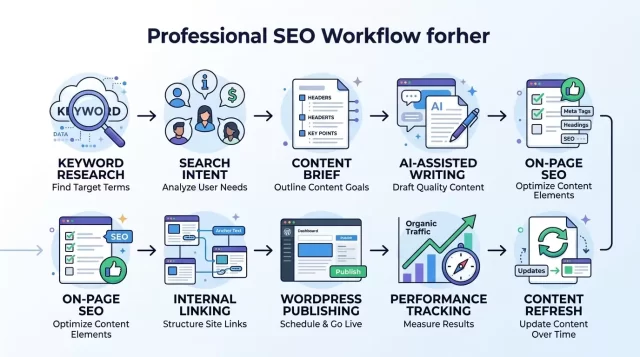
A Practical ChatGPT SEO Workflow for WordPress
A simple workflow can look like this:
Step 1: Find the opportunity
Use keyword research, Search Console data, customer questions, competitor research, and your own expertise.
Step 2: Define the search intent
Determine whether the user wants information, instructions, a comparison, a product, a service, or a solution to a specific problem.
Step 3: Build the content brief
Use ChatGPT to organize the topic, questions, entities, subtopics, and potential content gaps.
Step 4: Research the facts
Verify important claims using authoritative sources.
ChatGPT itself warns that its responses can contain incorrect or misleading information and recommends checking important facts and references.
Step 5: Create the first draft
Use ChatGPT to accelerate drafting while providing your own examples, experience, data, and perspective.
Step 6: Add human expertise
This step separates useful AI-assisted content from generic content.
Add:
-
Original examples
-
First-hand observations
-
Screenshots where appropriate
-
Case studies
-
Tested procedures
-
Expert commentary
-
Relevant data
-
Lessons from actual implementation
Step 7: Optimize the page
Review the title, headings, URL, metadata, links, images, and overall page structure.
Step 8: Publish in WordPress
Format the article for humans first.
Use short paragraphs, descriptive headings, useful lists, clear links, and appropriate media.
Step 9: Measure the result
Use Search Console and analytics data to evaluate impressions, clicks, CTR, rankings, engagement, and conversions.
Step 10: Refresh the content
Update the page when the information, examples, products, tools, or search intent changes.
The Best ChatGPT SEO Prompts for WordPress
Here are practical prompts you can reuse.
Keyword research prompt
Act as an SEO research assistant. Generate related keyword ideas for [TOPIC]. Group them by search intent and funnel stage. Focus on relevant variations, questions, and subtopics. Do not invent search-volume or keyword-difficulty data.
Search intent prompt
Analyze the search intent behind [KEYWORD]. Explain what the searcher most likely wants, what questions they expect answered, what content format fits the query, and what information would fail to satisfy the intent.
Content brief prompt
Create a detailed content brief for [KEYWORD]. Include the target audience, search intent, primary topic, related subtopics, questions, recommended heading structure, internal-link opportunities, and important factual claims that should be verified.
Content audit prompt
Audit the following article for SEO and usefulness. Identify problems with search intent, topical coverage, clarity, factual accuracy, headings, internal links, redundancy, and readability. List problems first and recommendations second.
Internal linking prompt
Analyze these existing WordPress articles and suggest relevant internal links. Prioritize links that help readers understand the topic. Provide source page, destination page, suggested anchor text, and the reason for each recommendation.
Content refresh prompt
Review this existing article and identify information that may be outdated, incomplete, repetitive, or unsupported. Create a content-refresh checklist. Do not invent replacement facts.
Title prompt
Generate 15 SEO title options for [KEYWORD]. Keep them concise, clear, specific, and compelling. Avoid clickbait and unsupported promises.
Meta description prompt
Write five concise meta descriptions for [KEYWORD]. Accurately summarize the page, include the primary keyword naturally, and encourage qualified clicks without making exaggerated claims.
ChatGPT SEO vs. Traditional SEO Tools
ChatGPT and conventional SEO tools solve different problems.
| Task | ChatGPT | SEO Tool |
|---|---|---|
| Keyword ideas | Strong | Strong |
| Search-volume data | Needs verification | Strong |
| Content briefs | Strong | Varies |
| Writing assistance | Strong | Usually limited |
| Search intent analysis | Strong | Varies |
| Competitor analysis | Useful with data | Strong |
| Backlink data | Needs external data | Strong |
| Technical SEO crawling | Limited without tools/data | Strong |
| Content optimization | Strong | Strong |
| Data interpretation | Strong | Strong |
| Original expertise | Depends on user | Not applicable |
The most effective setup often combines them.
Use SEO tools and first-party website data for measurement.
Use ChatGPT for analysis, organization, ideation, drafting, and repetitive editorial tasks.
How to Test Whether ChatGPT Actually Improved Your SEO
Do not assume an SEO change worked simply because the content looks better.
Run a before-and-after comparison.
For example:
Problem: A page receives many impressions but few clicks.
Diagnosis: Review the queries, page title, search intent, competing results, and CTR.
Test: Improve the title and introduction while keeping the core content intact.
Measurement: Compare relevant Search Console data before and after the change.
Result: Determine whether impressions, clicks, CTR, rankings, or conversions changed.
This creates a measurable SEO process rather than an AI-driven guessing game.
Avoid claiming that ChatGPT caused an improvement unless your test design supports that conclusion. Search performance can change for many reasons at the same time.
Using ChatGPT for WordPress Image SEO
Images contribute to usability and accessibility as well as image search visibility.
ChatGPT can help you create:
-
Descriptive alt-text drafts
-
Image filenames
-
Captions
-
Image titles
-
Image placement ideas
-
Image content briefs
For example:
Write concise alt text for this image. Describe what is actually visible and explain its purpose in the article. Do not add keywords that are not relevant to the image.
Avoid turning alt text into keyword lists.
If an image shows a WordPress dashboard with an SEO setting enabled, describe what the image actually shows instead of writing something like:
WordPress SEO ChatGPT WordPress SEO tips best SEO ChatGPT.
That helps neither accessibility nor users.
How to Add E-E-A-T to AI-Assisted WordPress Content
AI can generate competent explanations, but it cannot automatically provide your real-world experience.
That is your advantage.
Add evidence that demonstrates first-hand knowledge.
For example, instead of writing:
Internal links are important for SEO.
You could explain:
When auditing a WordPress site, I first map the pages that already attract impressions and then look for relevant supporting pages that currently receive little internal-link support. This approach helps prioritize links based on actual site structure rather than simply matching keywords.
That statement communicates a process.
You can strengthen an article further with:
-
Original screenshots
-
Your own testing
-
Before-and-after examples
-
Real implementation notes
-
Author credentials
-
Editorial standards
-
Primary-source citations
-
Original data
-
Transparent methodology
The goal is not to make AI invisible.
The goal is to make the finished article genuinely useful.
Frequently Asked Questions
Is ChatGPT good for WordPress SEO?
ChatGPT can be useful for WordPress SEO when you use it for research assistance, content planning, optimization, analysis, and repetitive editorial work. It works best alongside real SEO data and human review.
Can ChatGPT find SEO keywords?
It can generate keyword ideas, related phrases, questions, and topic clusters. However, you should use dedicated keyword research data to verify search volume, competition, and other metrics.
Can ChatGPT write SEO-friendly WordPress articles?
Yes, it can help draft SEO-friendly content. However, you should add original expertise, verify facts, edit the article, and make sure the page satisfies the actual search intent.
Should I use ChatGPT to rewrite old WordPress posts?
You can use it to audit and improve existing content. Start by diagnosing what needs improvement rather than automatically rewriting the entire article.
Can ChatGPT optimize meta titles and descriptions?
Yes. It can generate and refine title and meta description options. You should still make sure they accurately represent the page.
Can ChatGPT improve internal linking?
Yes. Give it your existing URLs and article topics, then ask it to identify links that genuinely help readers navigate related information.
Can AI-generated content rank on Google?
AI assistance does not automatically prevent a page from appearing in Google Search. The bigger issue is whether the content provides value and complies with Google's spam policies. Google specifically warns against scaled content created primarily to manipulate search rankings.
Does ChatGPT guarantee Google rankings?
No. Rankings depend on many variables, and no legitimate AI prompt can guarantee a specific position.