
11 Powerful Booking Theme Ideas for WordPress
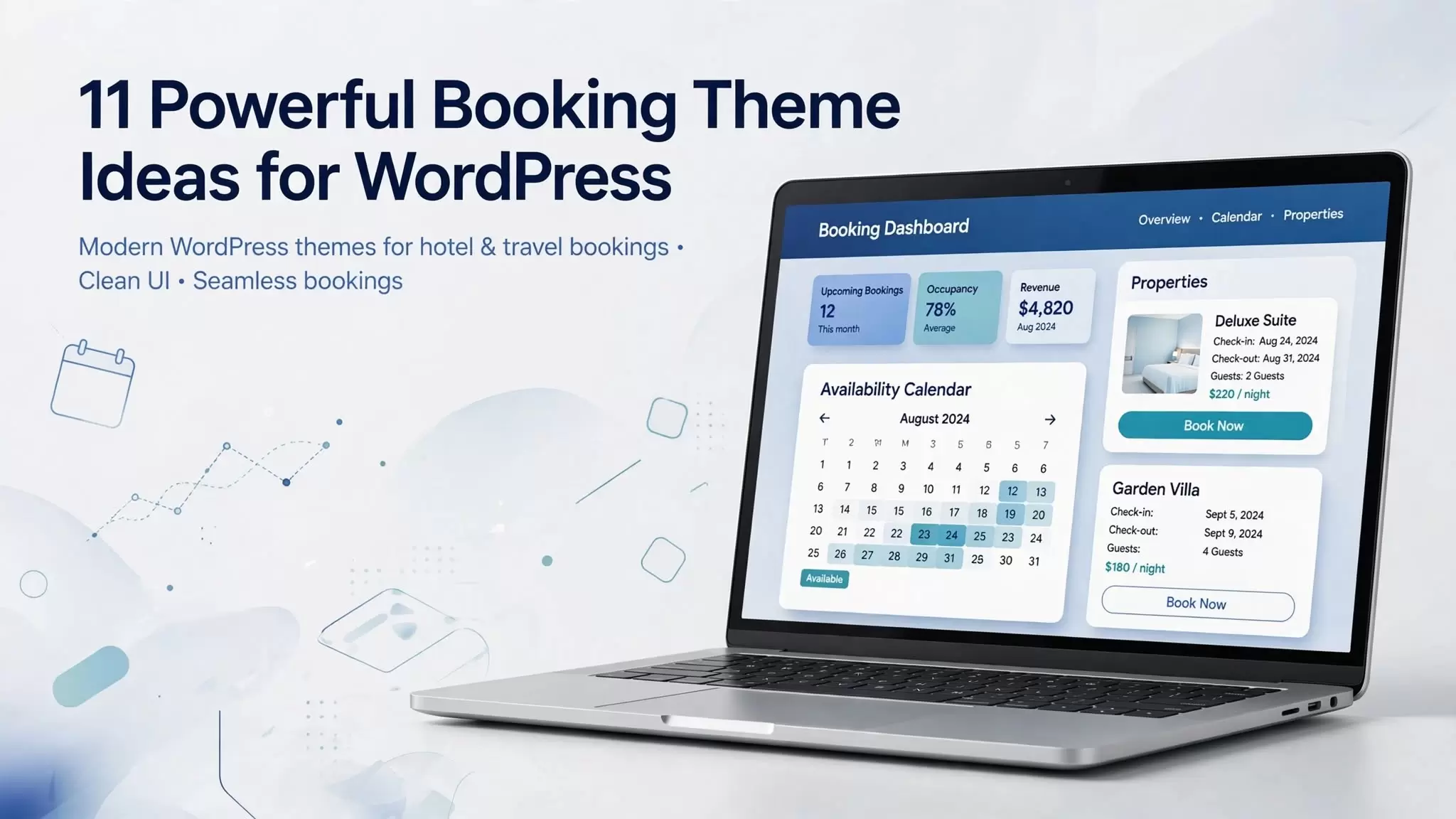
Choosing the right booking theme can make a major difference when you want to build a website that accepts reservations, appointments, rentals, or online bookings. A good theme does more than make your website look professional. It should also work smoothly with your booking system, provide a clear user experience, load efficiently, and make it easy for visitors to complete a reservation.
Whether you need a hotel booking website, appointment scheduling site, travel platform, vacation rental website, or general reservation website, WordPress gives you plenty of options.
The challenge is knowing which features actually matter.
In this guide, we will explain what to look for in a booking WordPress theme, explore different types of booking websites, discuss essential features, highlight common mistakes, and show you how to choose a theme that can support your website as it grows.
What Is a Booking Theme?
A booking theme is a website theme designed for businesses or organizations that need customers to make reservations, appointments, or bookings online.
A typical booking website may allow visitors to:
-
Check availability
-
Select a date and time
-
Choose a service, room, property, or activity
-
Enter customer information
-
Pay online
-
Receive booking confirmation
-
Manage or cancel reservations
-
Contact the business
A booking WordPress theme provides the visual structure of the website, while the actual booking functionality may come from an integrated booking system, plugin, or external service.
This distinction matters.
A beautiful theme does not automatically provide a complete reservation system. Before purchasing or installing a theme, check exactly which booking features it includes and which ones require additional software.
11 Booking Theme Ideas for Different Websites
Not every booking website has the same requirements. A hotel needs room availability and pricing, while a dentist may need appointment scheduling. A vacation rental website may need property calendars and payment options.
Here are the major types worth considering.
1. Hotel Booking Theme
A hotel booking theme is designed for hotels, resorts, hostels, bed and breakfasts, and other accommodation businesses.
Important features can include:
-
Room listings
-
Availability calendars
-
Check-in and check-out dates
-
Seasonal pricing
-
Multiple room types
-
Reservation management
-
Online payments
-
Guest information forms
-
Booking confirmation emails
-
Mobile-friendly layouts
Some hotel-focused WordPress themes also integrate with WooCommerce or dedicated hotel booking systems. Current marketplace listings show that hotel themes commonly advertise features such as reservation management, calendars, payment options, seasonal pricing, and Elementor compatibility.
If your primary goal is to accept room reservations, choose a theme that supports the booking workflow rather than selecting one based only on its homepage design.
2. Appointment Booking Theme
An appointment booking theme works well for businesses that sell time-based services.
Examples include:
-
Salons
-
Barbers
-
Doctors
-
Dentists
-
Consultants
-
Therapists
-
Fitness trainers
-
Tutors
-
Repair services
-
Professional services
The most important feature is usually scheduling.
Your website may need to let customers select a service, employee, date, and available time slot.
For these websites, a simple and fast booking experience can matter more than having dozens of decorative design elements.
3. Travel Booking Theme
Travel agencies, tour operators, and activity providers can use a travel booking theme to showcase destinations and accept reservations.
Useful functionality may include:
-
Tour packages
-
Destination pages
-
Trip itineraries
-
Date selection
-
Group sizes
-
Tour availability
-
Pricing
-
Booking forms
-
Online payments
-
Customer reviews
A travel website also benefits from strong visual content because visitors often need to understand the destination before deciding whether to book.
4. Vacation Rental Booking Theme
Vacation rental websites have different requirements from traditional hotels.
A rental site may need:
-
Property listings
-
Availability calendars
-
Minimum-stay rules
-
Seasonal rates
-
Property amenities
-
Location information
-
Image galleries
-
Guest capacity
-
Booking requests
-
Payment processing
If you operate apartments, villas, holiday homes, cabins, or similar properties, look for a theme that supports property-focused layouts and a reliable availability system.
5. Restaurant Booking Theme
Restaurants can use booking websites to manage table reservations.
A restaurant website might include:
-
Reservation forms
-
Date and time selection
-
Number of guests
-
Opening hours
-
Location
-
Menu
-
Special events
-
Contact information
The booking form should remain simple. A customer who only wants to reserve a table should not have to navigate through unnecessary steps.
6. Event Booking Theme
An event booking theme can work for conferences, workshops, classes, exhibitions, performances, and other scheduled events.
Useful features include:
-
Event calendars
-
Event details
-
Ticket or registration forms
-
Date and time information
-
Venue details
-
Speaker profiles
-
Pricing
-
Registration confirmation
If your site handles paid registrations, check whether the theme works with the payment or ecommerce system you plan to use.
7. Car Rental Booking Theme
Car rental websites need more than a simple contact form.
A useful car rental website may allow visitors to choose:
-
Vehicle type
-
Pickup location
-
Return location
-
Pickup date
-
Return date
-
Additional services
The theme should make vehicle information easy to compare.
Clear pricing, vehicle specifications, availability, and booking instructions can help users move from browsing to reservation without confusion.
8. Property Booking Theme
Property booking websites can cover short-term accommodation, apartment rentals, holiday properties, and other bookable spaces.
The website may require:
-
Property search
-
Location filters
-
Availability
-
Property galleries
-
Amenities
-
Pricing
-
Guest capacity
-
Booking forms
-
Maps
For larger websites, search and filtering become especially important because visitors need to find suitable properties quickly.
9. Fitness and Class Booking Theme
Gyms, yoga studios, personal trainers, martial arts schools, and fitness centers can use booking websites to manage classes and appointments.
Useful features include:
-
Class schedules
-
Trainer profiles
-
Membership information
-
Time slots
-
Registration
-
Pricing
-
Booking limits
-
Cancellation policies
The design should make the schedule easy to scan on both desktop and mobile devices.
10. Service Business Booking Theme
Many local service businesses can benefit from online appointment booking.
Examples include:
-
Cleaning services
-
Home maintenance
-
Photography
-
Coaching
-
Beauty services
-
Consulting
-
Automotive services
For these businesses, the ideal website often combines service pages with a straightforward booking form.
11. Multi-Purpose Booking Theme
A multi-purpose booking theme can make sense when you need flexibility.
Instead of building a website around one industry, you can use a flexible WordPress theme and connect it to a booking plugin that provides the required functionality.
This approach can be useful when the business may expand into additional services later.
However, flexibility can also create complexity. Avoid choosing a theme simply because it includes hundreds of demos. Focus on whether the theme supports your actual website requirements.
What Features Should a Booking WordPress Theme Have?
The right features depend on the business, but several capabilities deserve close attention.
Online Booking System
The core booking workflow should be easy to understand.
A visitor should be able to determine what they can book, check availability, provide the required information, and submit the reservation without unnecessary friction.
Availability Calendar
An availability calendar is particularly important for hotels, rentals, appointments, and events.
It should clearly communicate which dates or time slots are available.
Payment Integration
If you plan to accept online payments, verify which payment methods your booking setup supports.
Depending on the system, this may involve:
-
Credit or debit cards
-
PayPal
-
Stripe
-
WooCommerce-supported payment methods
-
Bank transfer
-
Other payment gateways
Do not assume that a theme supports a payment gateway simply because it advertises online booking.
Check the documentation for the theme and booking solution before purchasing.
Responsive Design
Your booking website should work properly on smartphones, tablets, and desktop computers.
This matters because users may discover your business through mobile search and attempt to complete their reservation immediately.
Check the actual booking form on smaller screens rather than judging mobile responsiveness from the homepage alone.
Booking Management
Businesses need a way to manage reservations after customers submit them.
Depending on the business, this may include:
-
Viewing bookings
-
Changing reservation status
-
Managing availability
-
Editing customer information
-
Handling cancellations
-
Managing schedules
-
Viewing booking history
Email Notifications
Automated notifications can keep customers informed about their reservations.
A typical system may send messages when someone:
-
Creates a booking
-
Receives confirmation
-
Cancels a reservation
-
Changes booking details
-
Receives a reminder
Make sure you understand which notifications come from the theme and which come from the booking plugin or service.
Page Builder Compatibility
Many WordPress users prefer visual page builders because they can create layouts without editing code.
Some booking themes advertise compatibility with builders such as Elementor. Current marketplace listings show extensive use of Elementor among hotel booking themes.
Compatibility can be useful, but it should not be your only selection criterion.
WooCommerce Compatibility
WooCommerce can be useful when your booking website also needs ecommerce functionality.
For example, a hotel may want to sell additional products or services alongside reservations.
Again, verify the exact integration rather than assuming that WooCommerce compatibility means the theme provides a complete booking engine.
Booking Theme vs Booking Plugin: What Is the Difference?
This is one of the most important concepts for beginners.
A theme primarily controls the presentation and layout of your website.
A booking plugin or booking system generally handles the reservation functionality.
Think of it this way:
Theme = how the website looks
Booking system = how the booking process works
Some themes include booking functionality or are designed around a particular booking system. Others simply provide layouts that work with third-party plugins.
This distinction can save you from an expensive mistake.
Imagine buying a beautiful hotel WordPress theme and discovering that its booking functionality does not support your required payment method or reservation rules.
The website may look excellent, but the booking workflow could still fail your business requirements.
How to Choose the Right Booking Website Theme
Instead of starting with appearance, start with functionality.
Step 1: Define What Customers Need to Book
Write down exactly what users will reserve.
Is it:
-
A hotel room?
-
A vacation property?
-
An appointment?
-
A tour?
-
A vehicle?
-
A restaurant table?
-
An event?
-
A service?
This immediately reduces the number of suitable themes.
Step 2: Define Your Booking Rules
Think about the rules your business needs.
For example:
-
Can customers book specific time slots?
-
Do prices change by season?
-
Can customers cancel?
-
Do you need deposits?
-
Can multiple people book the same service?
-
Do you have different staff members?
-
Do you need recurring appointments?
-
Do you need multiple locations?
These questions are more important than the color scheme of the theme.
Step 3: Check the Booking System
Before purchasing a theme, investigate the booking functionality.
Check:
-
Availability management
-
Payment gateways
-
Booking confirmation
-
Cancellation features
-
Calendar functionality
-
Pricing rules
-
Customer management
-
Email notifications
-
Integration options
Step 4: Test the User Experience
Open the demo and pretend you are a customer.
Try to make a booking.
Ask yourself:
-
Can I understand what this business offers?
-
Can I find availability quickly?
-
Is the booking form easy to use?
-
Can I see the total price?
-
Is the next step obvious?
-
Does the website work properly on mobile?
This simple test can reveal problems that screenshots hide.
Step 5: Check Performance and SEO
A visually impressive website can still perform poorly if it loads unnecessary scripts, images, animations, or plugins.
Look for a theme that supports:
-
Clean page structure
-
Responsive design
-
Efficient assets
-
Image optimization
-
Good Core Web Vitals practices
-
Search-engine-friendly markup
-
Accessible navigation
No theme can guarantee search rankings. Your content, technical SEO, backlinks, site architecture, user experience, and overall website quality also affect organic performance.
Advantages of Using a Booking Theme
A purpose-built booking theme can offer several benefits.
Faster Website Development
Pre-built layouts can reduce the amount of design work required to launch a website.
Industry-Specific Layouts
A hotel, travel agency, salon, or rental company can start with a design that already matches its business model.
Better Booking-Focused User Experience
Themes designed around reservations often place booking forms, availability information, pricing, and calls to action in prominent locations.
Easier Customization
Many modern WordPress themes allow you to customize colors, typography, layouts, headers, footers, and page sections without rebuilding everything from scratch.
Potential for Better Conversions
A clear booking journey can reduce friction between discovering a service and completing a reservation.
However, the theme itself does not guarantee higher conversions. Your pricing, offer, trust signals, copy, reviews, booking process, and business reputation also influence customer decisions.
Potential Disadvantages of Booking Themes
Booking-focused themes can also introduce problems.
Theme Lock-In
Some themes depend heavily on proprietary features.
If you later change themes, you may discover that important content or functionality does not transfer easily.
Plugin Dependencies
A theme may require several plugins to reproduce the demo website.
More dependencies can increase maintenance requirements.
Unnecessary Features
A theme with dozens of features may include functionality your business never uses.
Extra functionality can make the website harder to maintain.
Compatibility Problems
WordPress, plugins, page builders, payment systems, and themes all receive updates.
Before installing major updates, check compatibility and maintain reliable backups.
Design Over Function
It is easy to choose a theme because its demo looks impressive.
Your customers care more about whether they can complete a booking easily.
Common Booking Theme Mistakes
Avoid these mistakes when building a reservation website.
Choosing a Theme Only Because It Looks Good
A beautiful homepage cannot compensate for a confusing booking process.
Ignoring Mobile Users
Always test the complete reservation journey on a smartphone.
Assuming the Theme Includes Everything
Check exactly what the theme includes.
A theme may provide booking-oriented layouts while requiring a separate plugin for actual reservations.
Installing Too Many Plugins
Only install the functionality you genuinely need.
Too many plugins can increase maintenance and compatibility challenges.
Hiding Important Information
Visitors need to understand:
-
What they are booking
-
How much it costs
-
When it is available
-
What is included
-
How cancellation works
-
What happens after booking
Make these details easy to find.
Forgetting Trust Signals
A booking website asks users to take an action that may involve money or personal information.
Useful trust elements can include:
-
Customer reviews
-
Business address
-
Contact information
-
Clear policies
-
Secure payment information
-
Professional photography
-
Refund or cancellation details
-
Frequently asked questions
Only publish genuine reviews and claims that you can substantiate.
SEO Best Practices for a Booking Website
Your theme is only one part of your SEO strategy.
If you want organic traffic, build your website around useful search topics.
For example, a hotel website could create pages targeting:
-
Hotel booking
-
Hotel rooms
-
Hotel facilities
-
Location-specific hotel searches
-
Hotel pricing
-
Things to do nearby
-
Hotel policies
A travel website could build content around:
-
Tour packages
-
Destinations
-
Travel guides
-
Tour itineraries
-
Travel tips
-
Booking information
The important principle is to match each page with a clear search intent.
Do not create dozens of nearly identical pages simply to insert keywords.
Use Internal Links
Connect related pages logically.
For example:
Booking WordPress Themes → Hotel Booking Themes → Hotel Website Design → Hotel Booking Plugins
This helps users discover related information and gives search engines additional context about your site’s topic relationships.
Optimize Images
Booking websites often rely heavily on photographs.
Compress images appropriately, use descriptive filenames and alt text where relevant, and avoid loading unnecessarily large files.
Create Helpful Supporting Content
Your main booking page should not have to answer every possible question.
Create supporting content around related topics such as:
-
How online booking systems work
-
How to create a hotel booking website
-
Booking plugin comparisons
-
Appointment scheduling guides
-
Hotel website design
-
Vacation rental website setup
-
Booking website SEO
This can help you build a broader topical footprint.
How to Monetize a Booking Theme Website
If your website publishes theme comparisons and recommendations, several monetization methods can fit naturally.
Affiliate Marketing
You can link to legitimate theme marketplaces, theme developers, plugins, hosting providers, and other relevant products where affiliate programs are available.
Be transparent about affiliate relationships.
Your recommendations should remain useful even when an affiliate commission is not available.
Display Advertising
Informational articles can potentially generate revenue through contextual advertising.
However, avoid covering the page with ads that interfere with the booking-theme research experience.
Sponsored Content
Established websites may work with theme developers or WordPress companies on sponsored content.
Clearly label sponsored relationships.
Lead Generation
If your audience includes businesses that need websites, you could offer website development, customization, SEO, or maintenance services.
This can turn informational traffic into a service-business opportunity.
What Makes a Booking Website Successful?
The strongest booking websites usually focus on a simple customer journey.
A visitor arrives.
They understand the offer.
They see relevant information.
They check availability.
They choose an option.
They complete the booking.
They receive confirmation.
Every unnecessary step creates another opportunity for the visitor to leave.
That is why a simple booking workflow often matters more than an elaborate design.
Booking Theme Trends to Watch
The booking website space continues to move toward more integrated digital experiences.
Several areas deserve attention.
Mobile-First Booking
Customers increasingly expect websites to work smoothly from their phones.
Your booking process should therefore receive the same attention as your desktop design.
Faster Booking Experiences
Businesses want visitors to move from search to reservation with fewer steps.
Clear availability, transparent pricing, and simple forms all support this goal.
Smarter Personalization
Booking platforms can increasingly use customer information, preferences, availability data, and automated communication to create more personalized experiences.
The exact capabilities depend on the booking software you use.
Better Integration
Modern booking websites often need to connect multiple systems, such as:
-
Payment gateways
-
Email marketing
-
Customer management
-
Calendars
-
Analytics
-
Ecommerce
-
External booking platforms
Before choosing a theme, consider the systems your business already uses.
Final Checklist Before Choosing a Booking Theme
Before you install or purchase a theme, ask:
-
Does it match my business type?
-
Does it support my booking workflow?
-
Does the booking system handle availability?
-
Can customers book from mobile devices?
-
Does it support my required payment method?
-
Does it work with the plugins I need?
-
Is the theme actively maintained?
-
Can I customize the design?
-
Can I migrate away from it later?
-
Does the website remain fast after adding the required plugins?
-
Does the documentation explain how the booking system works?
-
Can I test the complete booking process before launch?
If the answer to several of these questions is no, keep looking.
Conclusion
The right booking theme should do more than create an attractive website. It should support the way your business actually accepts reservations, appointments, rentals, or registrations.
Start by defining what customers need to book. Then evaluate availability management, payment options, mobile usability, booking forms, integrations, performance, customization, and long-term maintenance.
For a hotel, focus on rooms, calendars, pricing, and reservation management. For appointments, prioritize schedules and time slots. For travel and rentals, pay attention to availability, listings, pricing, and customer information.
Most importantly, do not choose a theme based on appearance alone. A strong booking website combines a professional design with a reliable booking workflow, useful content, clear information, and a friction-free customer experience.
If your goal is to attract organic traffic, treat your booking theme page as the foundation of a broader content strategy. Build supporting pages around hotel booking themes, appointment booking themes, travel booking themes, reservation WordPress themes, and booking website templates, then connect those pages with relevant internal links.
That approach gives your website more opportunities to satisfy different searches while keeping the overall topic focused.
Frequently Asked Questions
What is a booking theme?
A booking theme is a website theme designed for businesses that accept reservations, appointments, rentals, registrations, or other types of bookings online.
What is a booking WordPress theme?
A booking WordPress theme provides the design and layout for a WordPress website intended to handle reservations or appointments. The actual booking functionality may come from the theme itself, a plugin, or an external booking service.
Can I add a booking system to any WordPress theme?
In many cases, you can add booking functionality through a compatible plugin or external service. However, compatibility, design integration, payment support, and functionality can vary, so check the specific booking solution before building the site.
Is a hotel booking theme different from a normal WordPress theme?
A hotel-focused theme usually provides layouts and functionality designed around accommodation, rooms, availability, reservations, and related information. A general WordPress theme may require additional customization and plugins to achieve the same result.
Do booking themes include payment gateways?
Some do, while others depend on a booking plugin or ecommerce platform. Always check the theme's current documentation and the booking system's supported payment methods before purchasing.
Can I use a booking theme for appointments?
Yes. Appointment-focused websites can use booking themes or general WordPress themes combined with appointment scheduling software. The right choice depends on features such as staff schedules, time slots, recurring appointments, payments, and cancellations.
Should I choose a free or premium booking theme?
That depends on your requirements. A free theme can work well for a simple project, while a premium option may provide additional layouts, support, integrations, or specialized functionality. Compare the actual features rather than choosing based solely on price.
Do I need a booking plugin with a booking theme?
Not always. Some themes include booking functionality, while others rely on plugins or external systems. Determine exactly where the reservation functionality comes from before launching your website.