
25 Business Website Templates for Modern Brands
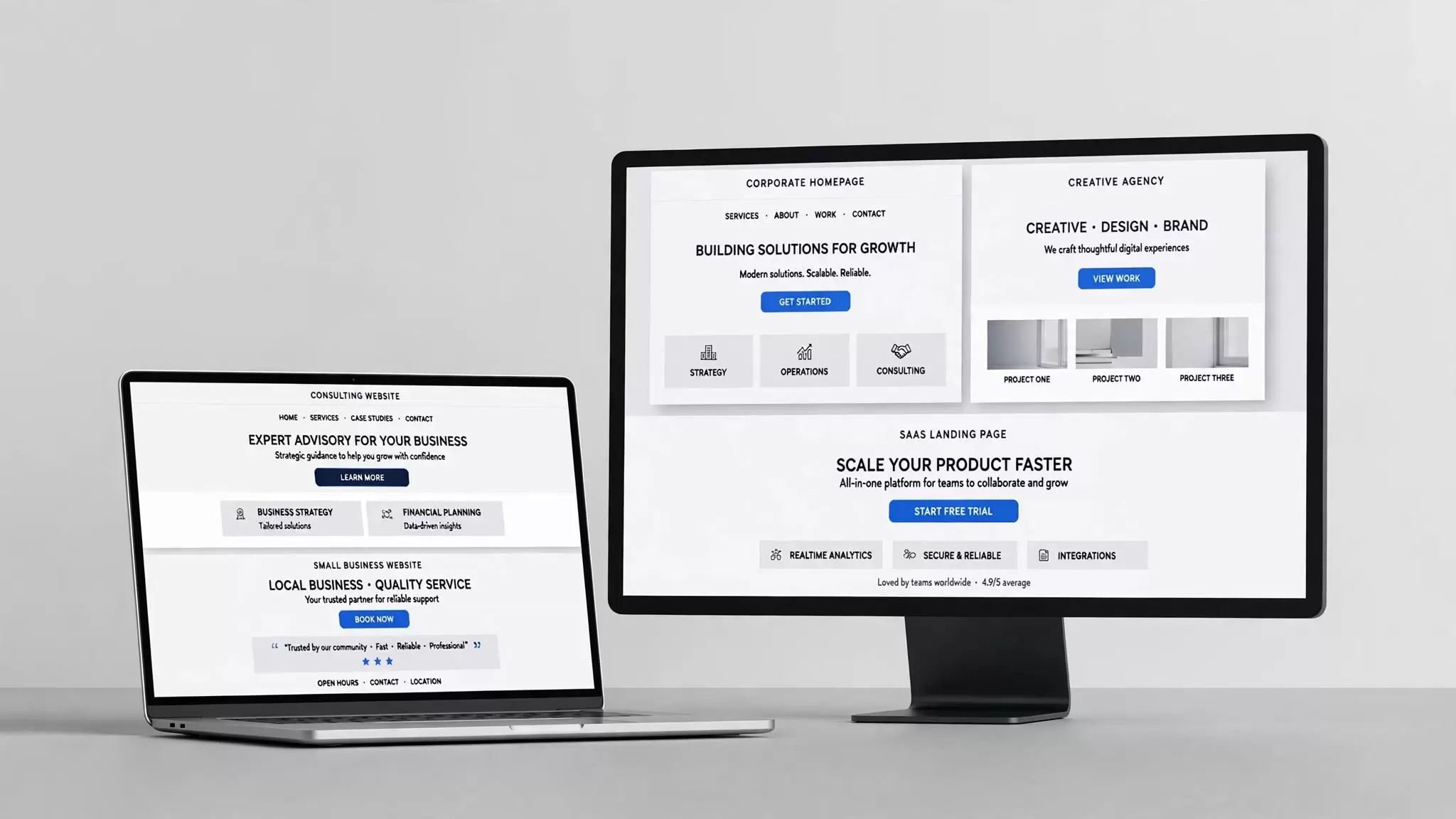
A well designed website can shape how people perceive a business before they ever speak with its team. The layout, navigation, typography, images, content structure, and mobile experience all contribute to that first impression. For businesses that want to establish a professional online presence without designing every page from scratch, a ready-made layout can provide a practical starting point.
The right business website templates can reduce design time while giving a website a consistent visual structure. They can also help business owners, marketers, designers, and developers move from an initial idea to a functioning website more efficiently.
However, choosing a template involves more than selecting the most attractive design. A template needs to support the business’s goals, content, audience, platform, performance requirements, and future plans. A consulting company, creative agency, software startup, and local service provider may all need very different website structures.
This guide explains what to look for in a template, how different types compare, where they fit into a website project, and how to make a practical choice.
Background and Overview
A website template is a pre-designed structure that provides a foundation for a website. Depending on the platform and product, it may include page layouts, navigation systems, typography, color schemes, content sections, buttons, forms, responsive behavior, and reusable design components.
Templates can serve both beginners and experienced professionals. A small business owner may use one to create a site without extensive technical knowledge, while a developer may use one as a starting point and customize its code, components, and functionality.
The term website templates for business covers a broad range of designs. Some focus on corporate communication, while others emphasize portfolios, lead generation, services, products, or local information.
A useful template should therefore solve a specific design problem rather than simply look impressive in a preview.
Key Concepts to Understand Before Choosing a Template
Design and functionality are different
A visually attractive template may still create problems if its navigation is confusing, its pages load slowly, or its content structure does not match the business.
Design determines how the website looks and feels. Functionality determines what visitors can do.
For example, a professional services company may need:
-
Service pages
-
Contact forms
-
Testimonials
-
Case studies
-
Team profiles
-
Appointment or inquiry options
-
Location information
A creative portfolio may need a completely different structure.
Templates are starting points
A template should not dictate every aspect of a website. Businesses normally need to replace the original text, images, colors, fonts, logos, navigation labels, and calls to action.
Think of the template as a framework rather than a finished identity.
Responsive design matters
Visitors may access a website through phones, tablets, laptops, and large desktop displays. A responsive design adapts its layout to different screen sizes.
Before selecting a template, test important pages at different viewport sizes. Pay particular attention to navigation, buttons, forms, images, tables, and long headings.
Types of Business Website Design Templates
Different businesses require different information structures. Understanding the main categories can make the selection process easier.
Corporate templates
Corporate designs generally use structured navigation, clear typography, prominent business information, and sections for services, leadership, company information, news, or investor-related content.
They can suit established companies that need to communicate information clearly across several departments or business areas.
Small business templates
Small companies often need straightforward layouts that help visitors understand what the business does and how to contact it.
A good small business design might place the following information near the beginning of the page:
-
What the company offers
-
Who it serves
-
Where it operates
-
Why customers should consider it
-
How to make an inquiry
Simplicity often matters more than visual complexity.
Agency templates
Agencies usually need space to demonstrate previous work. Portfolio sections, case studies, service descriptions, team information, and inquiry forms can therefore become central components.
Consulting templates
Consultants often depend on credibility. Their websites may emphasize professional biographies, expertise, services, industries served, publications, testimonials, and contact options.
SaaS and technology templates
Software companies often require product-focused layouts. Common sections include product benefits, feature explanations, screenshots, pricing, integrations, documentation links, and calls to action.
A search for is it saas business website templates reflects a narrower use case where a reader wants to understand whether a template category fits a software business. The answer depends on the structure and functionality of the specific template rather than the label alone.
Portfolio-focused designs
Creative professionals, studios, architects, photographers, and designers may need large visual areas to present their work.
A portfolio website business profile template can combine professional information with selected projects, services, biography details, and contact information.
Choosing a Business Website Template by Platform
The platform behind a template can affect customization, maintenance, hosting, integrations, and publishing workflows.
WordPress
WordPress supports a large ecosystem of themes and templates. It can suit businesses that want control over content and functionality through a content management system.
Before choosing a WordPress design, check whether it works with the current version of the platform and whether its required plugins are maintained.
Website builders
Visual builders can simplify website creation by allowing users to modify layouts without extensive coding.
They may suit business owners who prefer a managed workflow and want to make routine content updates themselves.
HTML templates
An HTML template can provide greater control over the underlying markup and styling. It may suit developers or businesses working with a custom hosting environment.
The tradeoff is that future changes may require more technical knowledge than a visual content management system.
React templates
React-based designs can support modern web applications and interactive interfaces. However, they may require a development workflow and technical knowledge that a simple brochure-style website does not need.
Someone searching for a free React template for a business website should check the license, dependencies, documentation, responsiveness, accessibility, and maintenance status before using it.
Free Business Website Templates
Free options can be useful when a business has a limited budget or wants to test an idea before investing in a custom design.
However, “free” does not automatically mean that a template is suitable for commercial use.
Before downloading anything, check:
-
The license
-
Commercial-use permissions
-
Attribution requirements
-
Included images and fonts
-
Redistribution restrictions
-
Update history
-
Documentation
-
Browser compatibility
-
Mobile behavior
-
Security considerations
Some free website themes may provide only basic functionality, while others can offer enough flexibility for a complete business website.
The important question is not simply whether a template costs nothing. It is whether the template provides the rights, functionality, support, and quality required for the intended project.
Premium Templates
Paid templates can provide additional design options, documentation, support, components, or specialized functionality. Their value depends on the actual product rather than the price alone.
A premium template should still undergo the same evaluation as a free option. Check its performance, licensing terms, customization options, compatibility, and update practices.
Some businesses may save time with a paid design because it already contains layouts that match their requirements. Others may gain more value from a simpler template that requires fewer modifications.
What Makes a Good Business Website Template?
The best choice depends on the website’s purpose, but several characteristics deserve attention.
Clear navigation
Visitors should understand where they are and where they can go next. Main navigation should prioritize important pages instead of attempting to display every available option.
Strong content hierarchy
A page should visually distinguish its main heading, supporting information, sections, calls to action, and secondary content.
Good hierarchy helps visitors scan the page quickly.
Mobile responsiveness
A template should remain usable on smaller screens. Text should remain readable, buttons should be easy to tap, and navigation should not become difficult to use.
Customization
A business should be able to adapt the template to its own branding and content.
Look for editable:
-
Colors
-
Fonts
-
Spacing
-
Images
-
Navigation
-
Sections
-
Buttons
-
Headers
-
Footers
Performance
Heavy images, unnecessary scripts, excessive animations, and poorly optimized assets can affect loading performance.
A template with fewer decorative elements may sometimes provide a better foundation than a visually complex alternative.
Accessibility
Accessible design helps more people use a website effectively. Important considerations include readable color contrast, keyboard navigation, meaningful labels, logical headings, alternative text for relevant images, and usable forms.
Main Components of a Business Website
A template becomes useful when it supports the information visitors actually need.
Homepage
The homepage should quickly communicate what the company offers and guide visitors toward useful next steps.
About page
This page can explain the organization’s background, people, values, experience, or operating approach.
Services or products
These pages should describe what the business provides and who can benefit from it.
Portfolio or case studies
A portfolio can demonstrate previous work. Case studies can provide additional context by explaining the problem, approach, and outcome.
Testimonials
Testimonials can provide customer perspectives. Businesses should use authentic feedback and avoid presenting fabricated statements as customer experiences.
Contact page
A contact page should make communication straightforward. Depending on the business, it may include an email address, phone number, form, physical address, map, business hours, or appointment process.
Blog or resources
A content section can help businesses publish educational material, announcements, guides, or industry information.
Benefits of Using a Template
Faster initial development
Starting with an existing structure can reduce the amount of design work required before development begins.
Consistent presentation
A well-built template can establish consistent spacing, typography, colors, buttons, and page structures.
Lower initial design requirements
Businesses without an internal design team can use a template as a practical starting point.
Easier experimentation
A business can test different layouts and content approaches before committing to a fully custom website.
Useful for prototypes
Developers and designers can also use templates when creating an early version of a website or product concept.
Limitations and Challenges
Templates also have limitations.
Limited uniqueness
Other businesses may use the same design. Strong branding and thoughtful customization can reduce this problem.
Unnecessary features
Some templates contain components that a business does not need. Extra functionality can add maintenance requirements.
Compatibility issues
A template may not work correctly with a particular platform, plugin, browser, framework, or hosting environment.
Poor customization can hurt usability
Changing colors and images without considering hierarchy or accessibility can make an otherwise useful design harder to use.
Licensing restrictions
A business must understand what it is permitted to do with the template and its bundled assets.
How to Find the Right Template
Template directories and template sites can make discovery easier, but businesses should evaluate options systematically.
Start by defining the website’s primary goal.
Ask:
-
What does the business offer?
-
Who is the target audience?
-
Which pages are essential?
-
Does the site need ecommerce or booking functionality?
-
Who will maintain the website?
-
Which platform will host it?
-
What integrations are required?
-
What level of customization is necessary?
Once these questions have clear answers, compare templates against the requirements instead of selecting one solely because its preview looks attractive.
How to Download Free Business Website Templates
People often search for how to download free business website templates, but the process varies by platform.
A typical process involves finding a reputable provider, reviewing the template details, checking the license, downloading the relevant files, and examining the documentation before installation.
Do not assume that every downloadable file is safe simply because the page describes it as free. Verify the source and inspect the template before placing it on a production website.
If the template requires third-party assets, review those licenses separately.
How to Use a Website Template Legally for a Business
The question of how to use a website template legally for a business depends on the license attached to that template and its components.
Read the license before publishing the website. Look for provisions covering commercial use, modification, redistribution, attribution, client projects, stock images, fonts, icons, and included code.
For example, a template may permit customization for one website while restricting redistribution of the original template files.
If the licensing language is unclear, obtain clarification from the rights holder or seek qualified legal advice rather than assuming that a download grants unrestricted rights.
Common Mistakes to Avoid
Choosing based only on appearance
A beautiful homepage cannot compensate for poor navigation, slow performance, or missing functionality.
Ignoring the target audience
A design should match how visitors consume information. A technical audience may need detailed product information, while local customers may primarily need services, location, pricing information, and contact options.
Installing too many plugins
Additional plugins can expand functionality, but each dependency can add maintenance and compatibility considerations.
Keeping demonstration content
Template previews often contain placeholder text and images. Replacing them with specific, useful business information should be part of the customization process.
Neglecting mobile testing
A site that looks good on a desktop can still create serious usability problems on a phone.
Ignoring licensing
Businesses should not assume that a downloadable web template automatically grants unrestricted commercial rights.
Best Practices for Customization
Start with the business’s actual content rather than forcing the content into a template.
Create a basic content plan for each page. Decide what visitors should understand and what action they should take.
Then adapt the design around that information.
Keep the brand consistent across:
-
Logo placement
-
Color palette
-
Typography
-
Photography
-
Icons
-
Buttons
-
Voice and terminology
Avoid changing every component simply to make the template different. Customization should improve relevance and usability rather than create visual complexity.
Advanced Insights for Businesses
An experienced team should evaluate more than visual design.
Consider the content model
A website that will publish hundreds of service pages, articles, locations, or products needs a structure that can scale.
Consider conversion paths
Identify the actions that matter most. A business may want visitors to request a quote, schedule a consultation, purchase a product, call the company, or submit an inquiry.
The template should make these actions visible without overwhelming the page.
Evaluate technical dependencies
Developers should inspect frameworks, libraries, plugins, external assets, build tools, and update requirements before adopting a template.
Think about ownership
Businesses should understand where their website files, content, design assets, and customer data reside. This becomes particularly important when using hosted website platforms.
Are Freeware Website Templates Always Free for Commercial Use?
No.
Freeware website templates can have specific licensing terms. The word “free” may refer to price rather than unrestricted usage rights.
Always read the license associated with the exact template you intend to use. Do not rely solely on the description provided in a search result or directory listing.
Future Trends in Business Website Templates
Template development continues to move toward more modular and adaptable systems.
Businesses can expect greater use of reusable components, visual editing tools, responsive layouts, accessibility-focused systems, performance optimization, and integrations with marketing and business platforms.
AI-assisted design may also make it easier to generate initial layouts, rewrite placeholder content, create visual variations, and adapt components. However, automated output still requires human review for accuracy, accessibility, brand consistency, legal considerations, and user experience.
The long-term value of a template will therefore depend less on novelty and more on how effectively it supports a maintainable website
Conclusion
Choosing the right template is ultimately a matter of matching design and technology to the needs of the business. The most attractive preview is not necessarily the most useful option.
A strong template should provide a clear structure, responsive experience, sensible navigation, appropriate customization, reliable functionality, and licensing terms that fit the intended use.
Whether you need a simple company site, an agency portfolio, a consulting website, a SaaS product site, or a larger corporate presence, begin with the business requirements. Compare available options against those requirements, replace generic demonstration content with useful information, test the experience across devices, and review the licensing terms before launch.
The right starting point can make website development more efficient while still leaving enough room to create a distinctive, useful, and credible online presence.
Frequently Asked Questions
What is a business website template?
A business website template is a pre-designed website structure that provides layouts, styling, components, and sometimes functionality that a business can customize for its own website.
How do I choose the right business website template?
Start with your business goals, audience, required pages, platform, functionality, maintenance requirements, and budget. Then compare templates against those requirements.
What should I look for in business website templates?
Look for responsive design, clear navigation, good content hierarchy, customization options, appropriate functionality, accessibility, performance, compatibility, documentation, and suitable licensing.
Can I customize a business website template?
Yes. Most templates are designed to be customized to some degree. The available options depend on the platform, framework, license, and template architecture.
Is a business website template suitable for a small company?
Yes. A template can provide a practical foundation for a small company, particularly when its structure matches the company's services, audience, and content needs.
Are business website templates better than custom websites?
Templates and custom websites serve different needs. A template can provide a faster starting point, while a custom website can offer greater control over design, functionality, and technical architecture. The appropriate choice depends on the project.
Where can I find website templates for business projects?
You can explore reputable template marketplaces, website builders, design communities, theme directories, and framework-specific repositories. Always review licensing, compatibility, quality, and update information before downloading or purchasing a template.
What is the difference between a website template and a theme?
The terms can overlap. A template often refers to a particular page or pre-designed website structure, while a theme may include a broader collection of styles, templates, and design settings. Their exact meaning depends on the platform.
Can I use free website themes for a commercial website?
Sometimes. The answer depends on the individual license. Check whether the specific theme permits commercial use and whether its bundled assets have separate restrictions.
Can I use a template for multiple business websites?
Not necessarily. Some licenses permit use on one website, while others allow broader usage. Review the license before deploying the same design across multiple projects.
What makes a portfolio website business profile template useful?
A useful design should present professional information, selected work, services, background details, and contact options in a clear structure. It should also make the portfolio easy to browse on mobile devices.
What should I check before using a free React template for a business website?
Check its license, dependencies, documentation, responsiveness, accessibility, security practices, build process, browser compatibility, and maintenance requirements.